How to Review a Draft with Postrillo’s AI Review Tool
Use Postrillo’s optional Review tool on an existing caption, then make your own factual and publishing checks.
Postrillo how-to series · Guide 23 of 24
An automated review can prompt useful edits, but it cannot replace your knowledge of the business. Use Postrillo’s Review tool as another reading pass. Keep platform validation, factual checking and publication approval as separate responsibilities.
Before you start
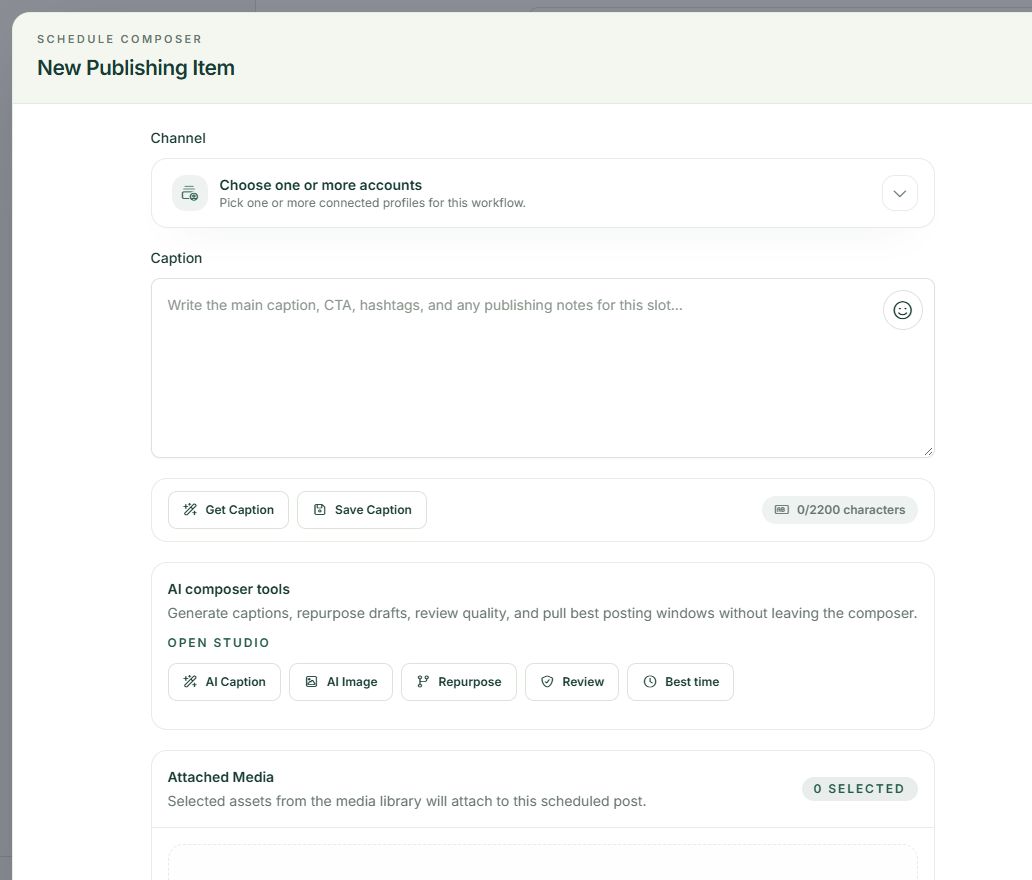
Prepare a caption in the publishing composer and select the intended destination. Check access and current AI credit costs before requesting a review. A blank composer is not enough: the review workflow needs draft content to examine.
1. Read the draft yourself first
State the post’s purpose in one sentence and compare the caption with it. Check whether the opening answers a real question, whether the next step makes sense and whether the audience needs missing context. This gives you a clear basis for evaluating any suggestions.
2. Request Review when available
Choose Review in the AI composer tools. Wait for the returned assessment. The workflow uses the caption and platform context; it is not an independent audit of your business records or a guarantee of compliance with every network rule.
3. Apply useful changes deliberately
Evaluate each suggestion against your tone, audience and facts. You can accept a clearer sentence without accepting a new claim. Verify names, prices, links and dates yourself. Keep a meaningful answer even if shortening the caption would make it sound smoother but less useful.
4. Complete the normal publishing check
Review media, destination and future timing after editing. Save Draft or Schedule Post according to your actual intent. If your team requires approval, follow that process; an AI review does not grant publishing permission or replace a human approval decision.
A practical example
Suppose a fictional consultancy draft says “We will double your sales.” A helpful edit would remove the unsupported guarantee and explain the service accurately. Do not assume an automated score makes the original promise safe to publish.
If something does not look right
If Review asks you to add content, write a caption first. If the tool is unavailable, use a manual checklist for clarity, accuracy, destination and timing. If two suggestions conflict, prioritize truthful, useful communication over an attempt to satisfy every automated recommendation.
What to check before moving on
Success is a better draft you have personally checked, not a particular AI score or a claim that the post is guaranteed to perform.
Continue learning: start with the Postrillo getting-started guide or read How to Generate and Edit an AI Caption in Postrillo.
Try the workflow: Create your free Postrillo account. Already signed in? Open your dashboard. Check current plan details for available tools and allowances.