Five Things to Check Before Scheduling a Business Social Post
Review your message, facts, media, link and destination before scheduling a business social post. A practical checklist for small-business owners.
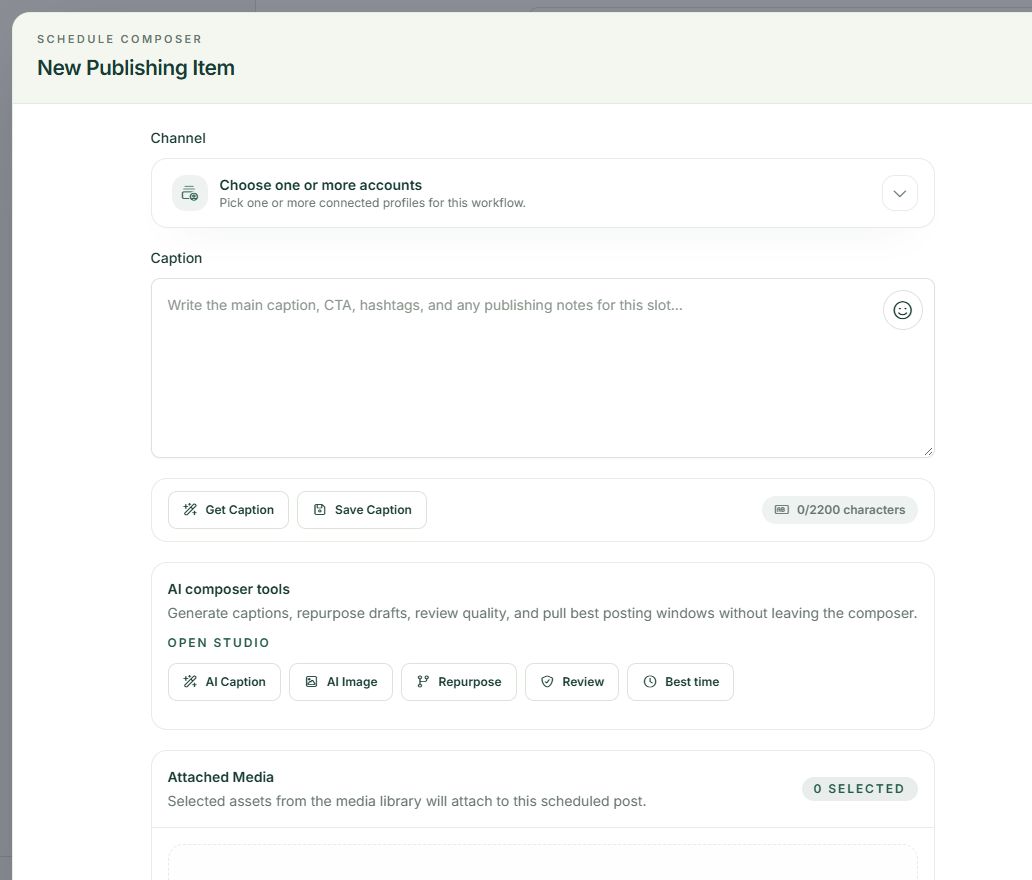
A caption can read well and still send someone to the wrong page. Before a post enters your publishing schedule, give it a short review that covers the details your audience will actually use.
This five-part checklist works whether you draft one post at a time or prepare a batch for the week.
1. Check the message
Ask what the reader should understand or do after seeing the post. Is the post answering a question, explaining an offer or inviting someone to visit a page?
Choose one main purpose. If the caption asks someone to read an article, book a call, follow an account and buy a product, decide which step matters most for this post. Make the opening and closing support that step.
Read the caption aloud once. Remove background information that gets in the way of the point, and explain any terms a new customer might not know.
2. Check the facts
Verify prices, dates, availability and offer conditions against the current source. A previous caption or an AI-generated draft is not a reliable source for today's offer.
Look closely at words such as “unlimited,” “free,” “guaranteed” and “most popular.” Use them only when you can support the meaning your reader will take from them. If a feature depends on a subscription plan, make that condition clear.
For customer examples, confirm that you have permission to share the information. Keep illustrative examples separate from actual customer results.
3. Check the media
Make sure the selected image or video belongs with this caption. Preview the crop and check that important text remains readable on a phone.
Confirm usage rights and remove private details from screenshots. Add an appropriate description or accessibility text where the publishing destination supports it. For video, review captions and any information shown briefly on screen.
An attractive image does not need a complicated design, but it should help the reader understand the post.
4. Check the link
Open the exact link that will appear in the post. Check that it reaches the intended article, offer or registration page and that the page works on a phone.
If you use campaign tracking parameters, make sure they describe the correct source and campaign. Do not include customer information or private tokens in marketing links.
Match the destination to the invitation. A post promising a checklist should lead to that checklist, rather than leaving the reader to search for it on your homepage.
5. Check the account and time
Review the destination profile before confirming a schedule, especially if you manage more than one business. Then check the date, timezone and selected publishing option.
If the content needs another person's review, complete that review before scheduling. Save a final record of the approved caption, media, destination and time so changes are easy to trace.
Keep the review beside your calendar
Use this short version for every batch:
Message → facts → media → link → account and time.
Postrillo helps organize caption drafts, media and publishing plans in one workspace. That gives your content a place to be prepared and reviewed; your final judgment still matters. Available tools and publishing limits vary by plan.
Explore the Postrillo workflow, then use the checklist on your next draft.
Ready to prepare your next post? Create your free Postrillo account. Explore the workspace with one real draft; check current plan details for tools, channels and limits.