How to Prepare a Post for More Than One Channel in Postrillo
Review destinations, wording and media when selecting multiple connected channels in the Postrillo composer.
Postrillo how-to series · Guide 12 of 24
Posting to several channels can save repeated entry, but it increases the number of checks. Shared text should still make sense on every selected destination. Start with one account while learning, then add other supported destinations when you can review them confidently.
Before you start
Connect the accounts you intend to use and confirm they are available in the current workspace. Check plan allowances and network requirements. Some roles can prepare content but cannot publish directly; the workspace’s approval rules still apply.
1. Choose destinations consciously
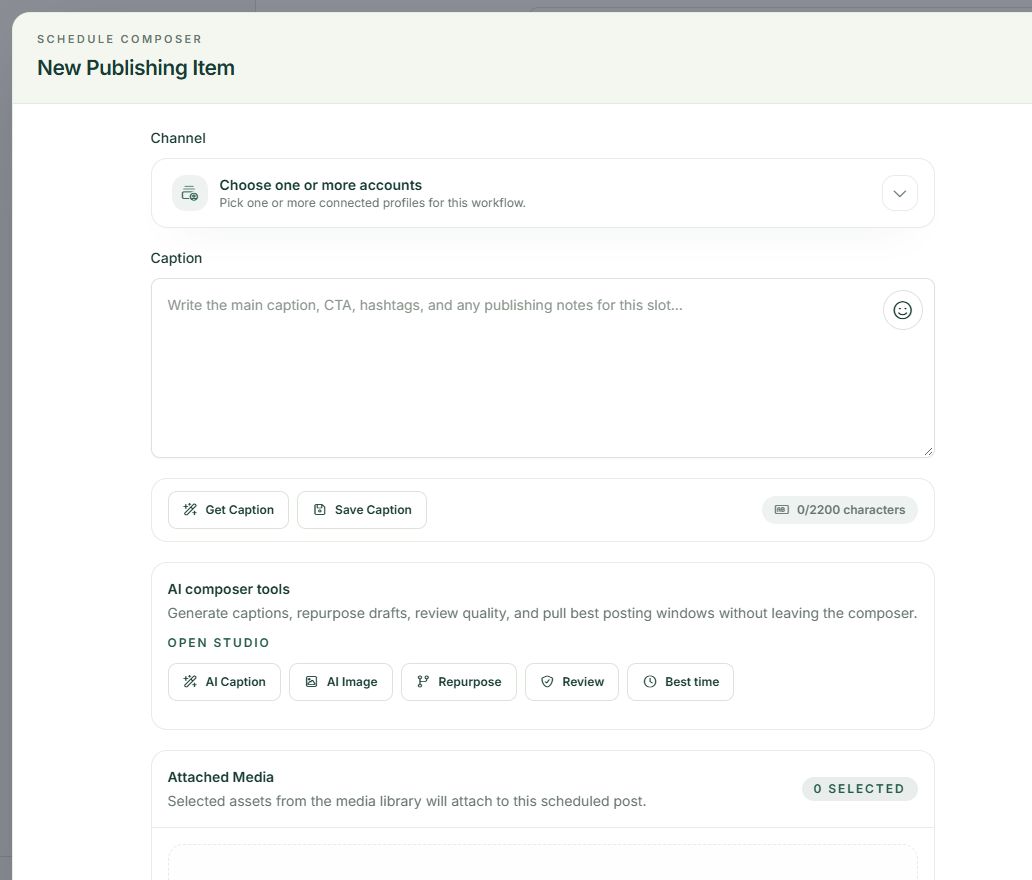
Open a new publishing item and select accounts under Channel. Read the full list of selected names. Avoid Select all unless you truly want every available destination. A client account should not receive a post simply because it shares a network with your own business.
2. Write a shared core message
Use wording that works without network-specific assumptions. A reference such as “link in bio” may not suit every destination. If the account or placement needs a substantially different message, prepare a separate item rather than forcing one caption to do incompatible jobs.
3. Check each network’s options
Review available destination-specific settings and media validation. The composer’s choices vary by selected provider and format. Do not assume that choosing a video, image or placement for one network automatically satisfies the other networks’ requirements.
4. Verify saved entries individually
Save as a draft or schedule at an intentional future time. After submission, inspect the calendar or Queue for the actual resulting entries and destinations. A successful entry for one network does not prove that all selected channels delivered successfully.
A practical example
A fictional studio announcing opening hours may use the same factual core on two business accounts. An image-heavy tutorial might need different formatting or separate versions. The goal is appropriate distribution, not the largest possible destination count.
If something does not look right
When validation identifies one account, inspect that destination rather than repeatedly saving the whole group unchanged. If only some items appear afterward, check existing records and public profiles before trying again. This prevents duplicate posts on destinations that may already have succeeded.
What to check before moving on
Finish with a clear record of each destination, its saved status and its publication outcome. Review network results separately after the scheduled time.
Continue learning: start with the Postrillo getting-started guide or read How to Review a Post Preview Before Scheduling in Postrillo.
Try the workflow: Create your free Postrillo account. Already signed in? Open your dashboard. Check current plan details for available tools and allowances.