How to Schedule Your First Three Posts in Postrillo
Follow the Postrillo publishing workflow: select a connected channel, prepare your caption and media, choose a future time and check the queue.
Read article →Practical guides, platform updates, and inspiration for a more organized social media workflow.
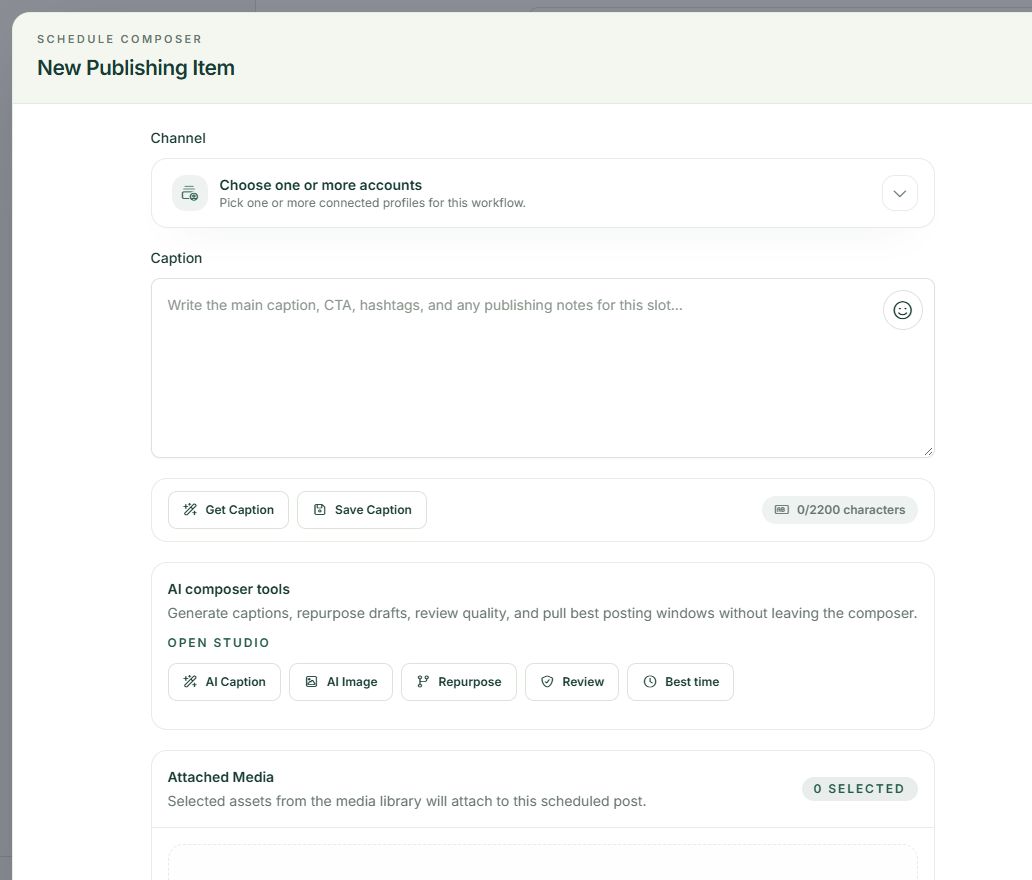
Follow the Postrillo publishing workflow: select a connected channel, prepare your caption and media, choose a future time and check the queue.
Read article →
Follow the Postrillo publishing workflow: select a connected channel, prepare your caption and media, choose a future time and check the ...
Read article →
Build a repeatable Postrillo routine for reviewing delivery, drafting useful posts and checking the next week’s schedule.
Read article →
Use Postrillo’s optional Review tool on an existing caption, then make your own factual and publishing checks.
Read article →
Give Postrillo’s AI Caption tool a clear brief, edit the result and save a reviewed draft without inventing business claims.
Read article →
Use the Postrillo composer’s Campaign field to organize related publishing items while keeping account and schedule checks separate.
Read article →
Use available Postrillo publishing labels to keep topics and review work organized without changing the public caption.
Read article →
Check Postrillo post status, connection, media and destination before retrying a failed or overdue publication.
Read article →
Verify Postrillo’s Published status against the destination account and public post text after a scheduled publication.
Read article →
Plan a practical week of social content with a three-post calendar, a worked service-business example and a clear review routine.
Read article →